 Playd
Playd
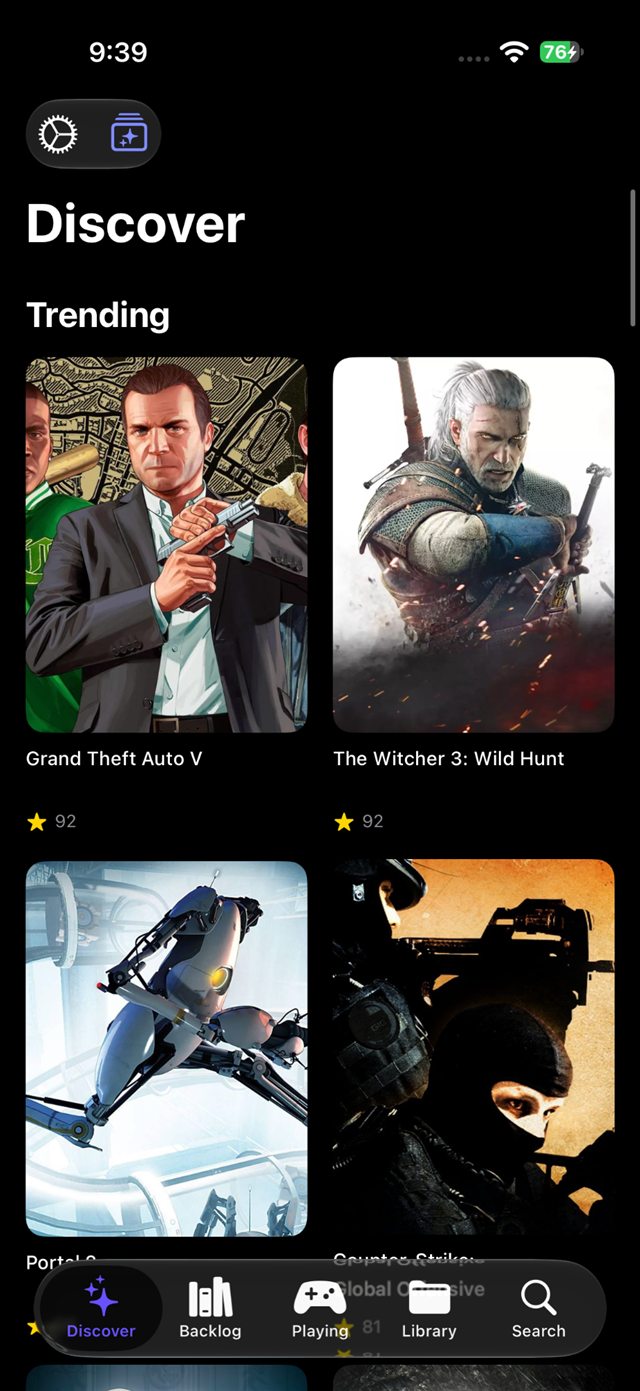
Four shelves for games you haven’t installed yet
Trending, Coming Soon, New Releases, and Top Rated. All four cache for six hours, so the shelves open instantly and survive the trip home.
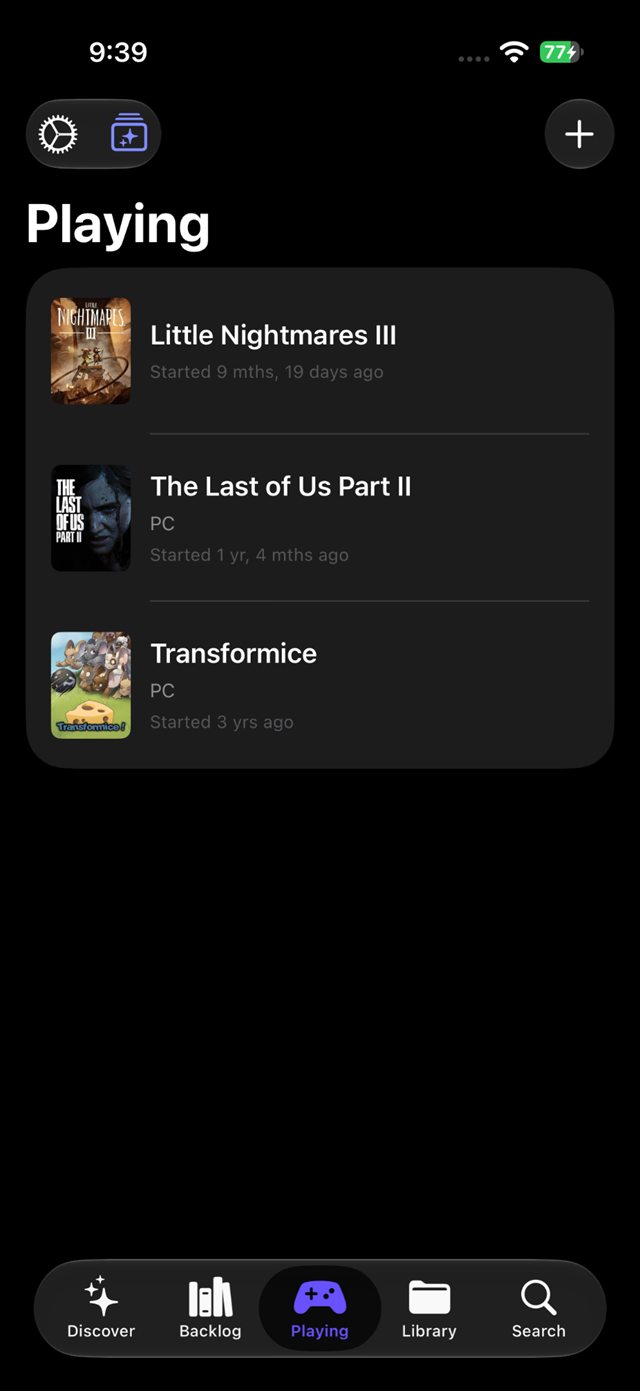
Start a game on your PC and it appears on your phone: cover, live timer, playtime filed when you quit. The backlog, lists, and stats stay in the same app.
Every tab has one job. The library underneath stays the same.
Trending, Coming Soon, New Releases, and Top Rated. All four cache for six hours, so the shelves open instantly and survive the trip home.
Playd splits the backlog by release date. Each entry carries its crack status, release group, and date, so you know what is installable before you start a download.
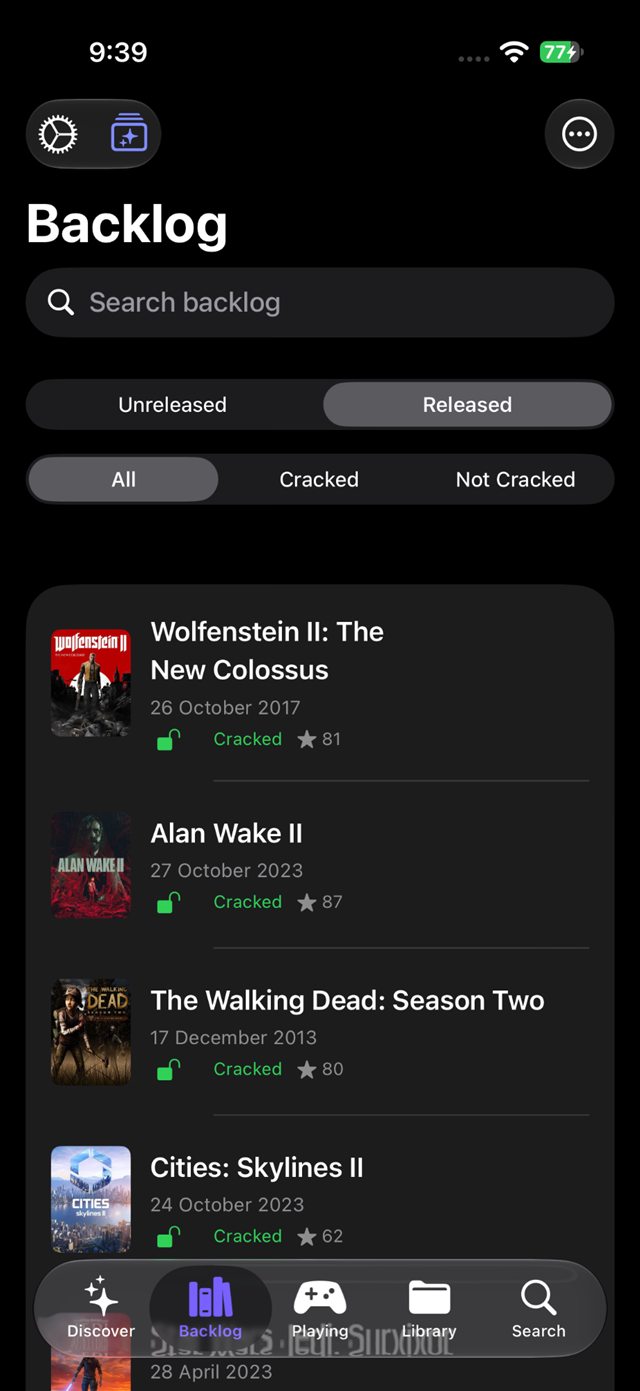
Playd sorts them by how long since you last opened each one, in months and days. Some of those numbers are large.
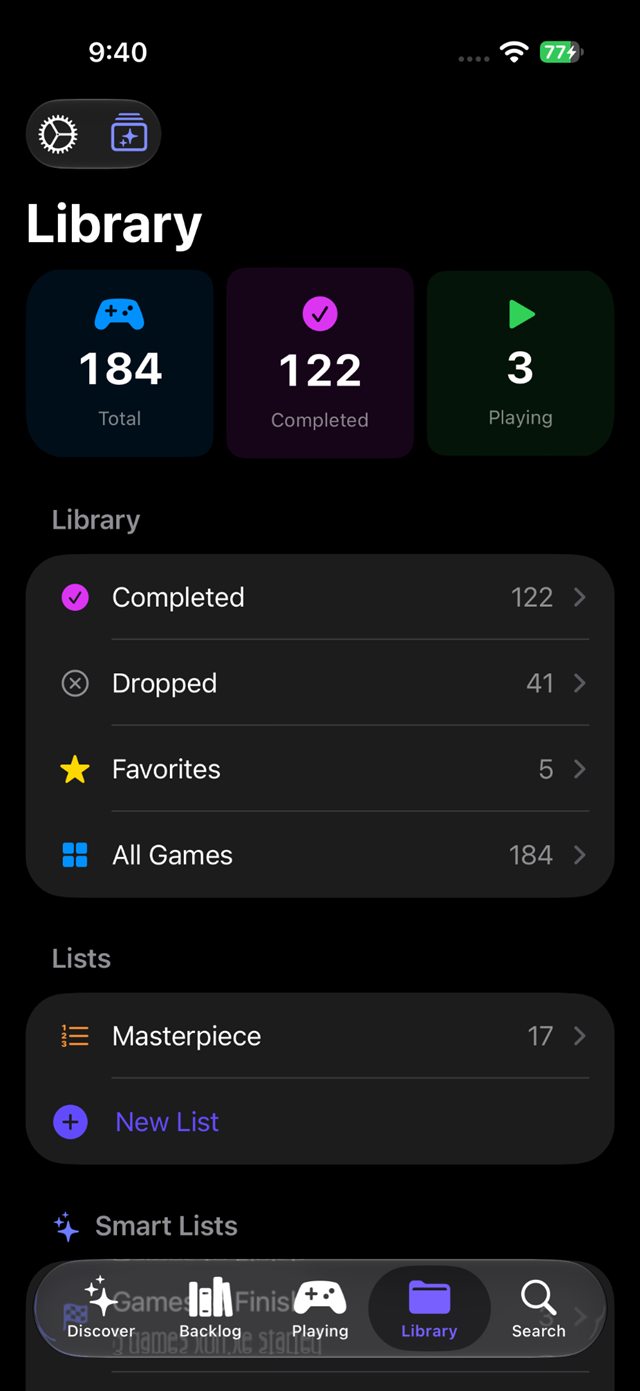
184 games tracked, 122 finished, 3 in progress. Under the totals: Completed, Dropped, Favorites, and any list you keep, ranked or plain.
Turn on ranked mode and number one stays ahead of number six. Rate each game out of ten, or out of eleven when ten feels tight.
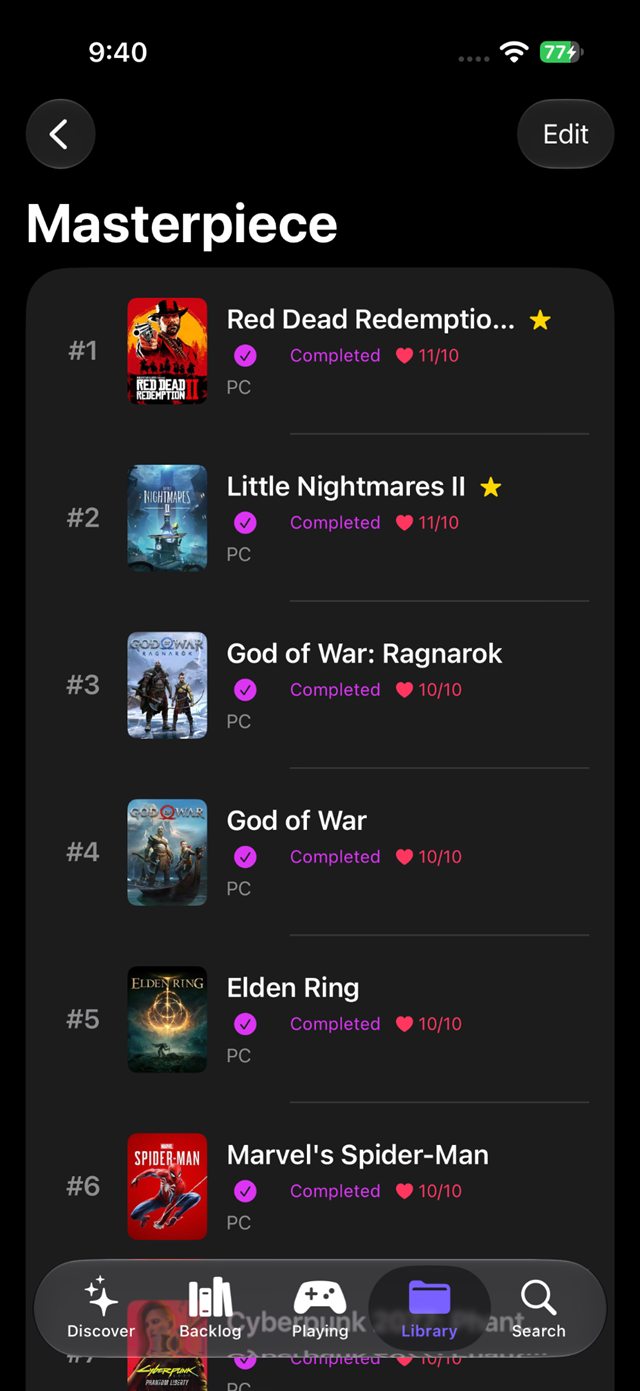
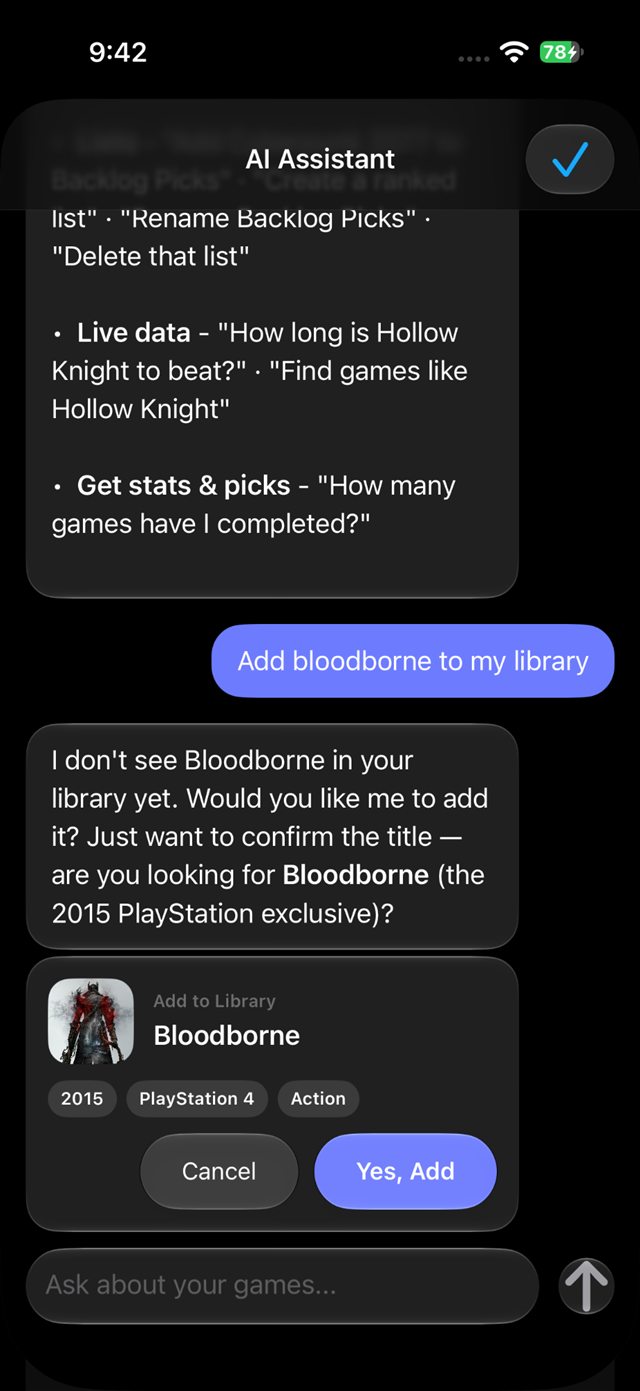
Ask how many games you’ve completed, or say “add Bloodborne to my library”. It finds the game, shows the exact change, and waits for your confirmation.
Crack checks, playtime logging, and the small decisions that matter once the list gets long.
Playd checks every backlog entry against PreDB and stamps it with the release group and date. Pull to refresh and the library re-checks itself.
PlayedSync matches the game window on your PC and sends the session to your phone. It reads the window rather than scanning folders, so portable and cracked installs count too.
1h 32m filed automatically
Game Little Nightmares III Source Local network Lock Screen Live ActivitySentiment, thumbs, and three ways to sort: most helpful, most recent, most entertaining. The funny reviews are usually right.
94%positive
1.2M reviews, most helpful first
Story, story plus extras, or completionist, with numbers from HowLongToBeat. When nothing matches, the catalog’s community average fills in and says so.
Ten got crowded, so Playd rates from 0 to 11. Your score and the catalog’s Metacritic number stay separate, which lets an 11/10 and a 92 both be right.
11/10your highest
Catalog score 92, tracked separately
Seven Shortcuts ship with the app. Siri can start a game, mark one completed, or read your stats, and every change waits for a confirmation card.
What should I play in Playd?
Waits for your confirmation
Optional Google Drive backup into the app’s private folder. A restore matches the games already on your phone and updates them in place.
Drop in a CSV from HowLongToBeat, Backloggd, or IGN. Playd detects the format and maps status, rating, and playtime. Its own export imports the same way.
Also inside: Live Activities, smart lists, notes, screenshot galleries, background refresh, and a settings screen that explains every switch. See the full feature list.
Numbers from the developer’s own copy of Playd. Read them as proof or as a warning.
Open the Camera app, point it at the code, and tap the banner. On a desktop, use the button instead.
Playd installs like any other iOS app. The App Store listing is not public yet; when it is, this button and QR code will open it.
Scan the code or tap Get Playd. The App Store page opens on your iPhone.
Playd installs on your iPhone or iPad and opens to an empty library.
Import a CSV from HowLongToBeat, Backloggd, or IGN, or add the first game yourself.
Not live yet: Playd is being prepared for the App Store. Every button and QR code here will point at the listing when it is.
The download row lives on the links page too, with a QR code you can open.
Free to install, and it starts counting the first time you add a game.